Pretius. Built Smarter: Strategic merger as an answer to modern challenges
Pretius. Built Smarter:
Strategic merger as an answer to modern challenges

OmniSense – Understand your legacy system before you change it.

New product by Pretius

OmniSense passively monitors real user sessions on your web application, building a rich knowledge base of how your system actually works – no interviews, no outdated docs, no guesswork.

The Challenge

Legacy systems carry invisible technical debt

Systems that were built 10–15 years ago continue to run business-critical operations – but the people who built them are long gone, the documentation is incomplete or nonexistent, and no one knows which modules are actually being used.

According to a 2024 McKinsey report, as much as 70% of software used by Fortune 500 companies was developed 20 or more years ago. Gartner projects that by 2025, 40% of IT budgets will go toward maintaining technical debt alone. And the legacy modernization market – valued at $6.5B in 2024 – is expected to reach $14.7B by 2033, reflecting how urgent this problem has become across industries.
decorative image

Meanwhile, three other pressures are compounding daily:

Key pain points:

  • Missing or outdated system documentation.
  • No test coverage for critical business flows.
  • Unused modules kept in production.
  • Impossible to estimate rewrite scope and cost without disrupting operations.
  • Vendor lock-in with no way out (Oracle Forms, etc.).
  • No AI layer – the system is falling behind while competitors modernize.
  • Original developers are gone, taking system knowledge with them.

Key figures:

  • 15+ – Average age of enterprise legacy applications.
  • 70% – Share of Fortune 500 software built over 20 years ago (McKinsey, 2024).
  • 40–50% – Acceleration in modernization timelines when AI is applied (McKinsey).
  • 0 – Upfront cost to install OmniSense and start capturing data
  • 1–2 weeks – Typical time to first documentation output

What is OmniSense

pretius-section-bg 2

Passive intelligence. Zero disruption.

OmniSense installs a lightweight JavaScript snippet alongside your application. It silently records user sessions – screens, actions, DOM state – and transforms them into structured metadata about your system. Sensitive data is automatically anonymized.

How it works – three pillars:

01. Passive session monitoring.

Records real user interactions — no simulation, no assumptions. OmniSense sees what users actually do, not what documentation says they should do.

02. Metadata-first architecture

Raw events are transformed into structured metadata: screens, flows, components, process paths, and branch points. This becomes your system's single source of truth.

03. Data stays on your infrastructure

All captured data remains within your environment. Pretius can operate the tool without ever having access to your sensitive business data.

Three Outcomes You Can Act On

Benefit 1

Decorative image

Add AI to your existing system

Deploy AI-powered backoffice tools and an in-system AI assistant without rewriting a single line of code. Test ROI before committing to large-scale investment.

Benefit 2

Decorative image

Know the true cost of migration

Instantly scope a rewrite project based on real system behavior – not assumptions. Generate accurate time, cost, and effort estimates before approaching vendors.

Benefit 3

Decorative image

Migrate without the original vendor

Rewrite your application 1:1 in any target technology – APEX, Mendix, custom stack – without relying on the original development team or their source code.

Four Powerful Modules

01. Documentation Generator

Auto-generate complete system documentation – from real usage, not source code.

Traditional documentation efforts rely on developers reading code, interviewing users, and manually writing specs – a process that is slow, inconsistent, and immediately begins going stale. OmniSense takes a fundamentally different approach: it observes how the system is actually used and generates documentation from that ground truth.

Research published in the World Journal of Advanced Engineering Technology and Sciences (2025) shows that AI-generated documentation tools can recognize design patterns embedded in legacy code, map data flows between components, and detect business logic that would otherwise require extensive manual reverse engineering. Critically, 72.4% of developers consider documentation of program functionality essential for understanding existing code – yet most legacy systems have none that is accurate.
pretius-semantic-search1
What OmniSense generates:
#01
Business documentation
Describes what the system does in plain language — workflows, user roles, business rules, and decision logic. Written for stakeholders and product owners, not developers.
Functional documentation
Covers individual screens, form fields, validation rules, and the relationships between system areas. Useful for onboarding, training, and support teams.
Technical documentation
Details component structure, event bindings, DOM interactions, and interface contracts. Enables developers to maintain and extend the system safely — even without access to source code.
Process flows and BPMN diagrams
Automatically maps the sequences of user actions into structured process diagrams. Identifies all known branches, decision points, and alternative paths — including ones not covered in any existing spec.
UX analysis and improvement recommendations
Flags usability issues, friction points, and inconsistencies detected during session recording. Includes AI-generated recommendations prioritized by frequency of user impact.
AI opportunity analysis
Identifies screens and workflows where AI automation or AI-assisted interactions would add meaningful value — giving your product and technology teams a concrete modernization roadmap.
Coverage gap detection
OmniSense continuously tracks which process paths have been observed and which remain uncovered. It proactively surfaces gaps so they can be explicitly recorded or marked as intentionally out of scope.
As-is vs. existing documentation comparison
If you have legacy documentation, OmniSense compares its generated output against what you already have — highlighting contradictions, outdated sections, and gaps. This alone can save weeks of manual audit work.


02. In-System AI Assistant (widget within the system)

A conversational AI built into your application – powered by OmniSense knowledge.

The assistant widget is deployed directly inside your existing system. Because it is backed by the OmniSense knowledge base, it understands the system the way a veteran user does — not generically, but specifically for your application, your terminology, and your workflows.
Capabilities:
#02
Contextual "how does this work?" answers
Users can ask about any screen, field, or feature in natural language and receive an accurate, context-aware response. No more hunting through outdated PDFs or waiting for a colleague.
"What can I do from here?" navigation guidance
The assistant understands the user's current position in the system and can suggest next steps, alternative paths, or related features — reducing errors and shortening task completion time.
"Why am I seeing this error?" diagnostics
When users encounter problems, the assistant can cross-reference the observed behavior against known patterns in the OmniSense knowledge base, identifying likely causes before a ticket is raised.
Intelligent bug reporting assistant
The assistant validates whether a reported issue is a genuine system defect or user error, enriches the bug report with session context automatically, and can submit it to your ticketing system without manual effort.
Change request (CR) drafting
Users and business analysts can describe a desired change in plain language. The assistant structures the request into a formal CR with affected screens, impacted flows, and suggested scope — dramatically reducing the time from idea to spec.
Source code independence
OmniSense doesn’t need access to your repository because it generates documentation from observed user behavior, not by analyzing the underlying code.

03. Backoffice Tools

AI-powered operations tooling – built on real system behavior, not assumptions.

OmniSense transforms session data into a set of intelligent tools your teams can use every day, without waiting for a full migration or rewrite.
pretius newsletter decorative image
Regression test generation
One of the most persistent problems in legacy maintenance is the absence of automated tests. According to research, cross-module dependencies exist in approximately 78% of legacy applications, making manual regression testing both expensive and incomplete.

OmniSense generates regression test suites directly from observed user sessions. Each recorded flow becomes a reproducible test case. The system uses machine learning to identify edge cases and critical paths that are most likely to break during future changes – ensuring coverage precisely where risk is highest.
  • Integration test scenarios – derived from multi-screen user flows.
  • Edge case detection – ML-identified gaps in critical paths.
  • Regression suite generation – behavioral snapshots that prevent functionality loss during modernization.
  • Continuous test update – as new sessions are recorded, the test suite grows automatically.
#03
Automatic documentation synchronization
Documentation generated by OmniSense is not a one-time deliverable. As the system evolves and new sessions are captured, OmniSense detects changes in behavior and updates the relevant documentation sections. Your knowledge base stays current without manual maintenance.
WCAG and compliance checking
OmniSense analyzes screen recordings against WCAG 2.1/2.2 accessibility guidelines, flagging violations such as missing labels, poor color contrast, keyboard navigation issues, and inaccessible interactive elements. Reports are generated per screen and prioritized by severity — giving your team a concrete accessibility remediation backlog.
AI feature opportunity detection (AI Proposal Generator)
OmniSense identifies specific screens and workflows where AI tooling — such as intelligent auto-fill, predictive suggestions, anomaly alerts, or process automation — would produce measurable value. Each identified opportunity includes a description of the proposed AI feature, the affected workflow, and an estimated impact level based on usage frequency.
Unused module detection
By correlating session data across all users and time periods, OmniSense builds a usage map of the entire system. Modules, screens, and features that receive zero or near-zero traffic are flagged as candidates for removal. Eliminating unused code reduces maintenance cost, attack surface area, and cognitive load for development teams.

Research indicates that approximately 80% of technical debt impact derives from only 20% of the codebase — meaning targeted cleanup of unused and high-risk areas can deliver outsized improvements with minimal effort.
Usage heatmap and analytics
Visualize which parts of the system are used most, by whom, and at what times. Identify bottlenecks, high-friction workflows, and underutilized features. Use this data to prioritize both modernization efforts and UX improvements with objective evidence rather than stakeholder opinions.

Legacy Migrator

Scope, estimate, generate, and validate your new system – grounded in real behavior.

The Legacy Migrator module transforms OmniSense data into a complete migration package: from scope definition and cost estimation through to AI-assisted generation of the new application, backed by a human-controlled review process at every step.

This approach directly addresses the biggest risks in traditional migration projects. As McKinsey reports, AI-augmented modernization can accelerate timelines by 40–50% and cut technical-debt-related costs by 40% compared to manual methods — while improving output quality.

Feature 1

Scope definition from real usage data

Before a single line of new code is written, OmniSense produces a complete, evidence-based scope document for the new system.
  • Full system inventory – every screen, module, user role, and workflow observed during data collection.
  • Dead code and unused feature identification — distinguishes active business logic from abandoned functionality, so the new system is not burdened with legacy bloat
  • Dependency mapping — traces how system areas interact with each other, with databases, and with external integrations; produces architecture diagrams automatically
  • Risk scoring per component — evaluates each part of the system based on complexity, coupling, observed error rates, and change frequency, helping teams prioritize where human review is most important
  • Business rule extraction — documents the logic embedded in form behavior, validation rules, and conditional flows in plain language
This is equivalent to what AI tools like GitHub Copilot and Azure Migrate now do for code – but applied to the behavioral layer of your web application, regardless of whether source code is available.

Feature 2

Time, cost, and effort estimation

With a complete behavioral scope defined, OmniSense generates a detailed migration estimate:
  • Screen and workflow count – the raw scope of what needs to be built.
  • Complexity classification – each screen and flow is rated by estimated rebuild effort (low / medium / high / complex).
  • Technology-specific effort estimates – adjusts estimates based on the target stack (e.g., Oracle APEX, Mendix, React + Node.js, custom).
  • Team composition recommendations – suggested roles, seniority levels, and team sizes based on scope.
  • Timeline ranges – best-case, expected, and worst-case delivery windows with assumptions stated explicitly.
  • Cost modeling – produces a structured cost breakdown usable in vendor RFPs or internal budget requests.
This replaces weeks of scoping workshops and discovery calls with a data-driven baseline that both business and technical stakeholders can trust.

Feature 3

AI-assisted code generation pipeline

OmniSense transforms the behavioral scope into structured prompts and generation pipelines for the new application.
  • Screen-level generation prompts – each observed screen is translated into a detailed specification that can be fed directly into AI code generation tools or development teams.
  • Business logic specifications – form validations, conditional flows, and process rules are described in a format that minimizes interpretation errors during development.
  • API interface generation – where the legacy system exposes data, OmniSense generates OpenAPI specifications for modern RESTful or GraphQL equivalents.
  • Component reuse detection – identifies patterns that appear across multiple screens and flags them as candidates for shared components in the new system.
  • Data model mapping – maps legacy flat-file or undocumented database structures to modern relational or document-based schemas, with migration scripts where applicable.
Real-world results confirm the potential: Salesforce engineers used AI-assisted migration to complete a rewrite estimated at two years manually in approximately four months. Arcesium reduced API migration effort from 500 person-days to 100 – saving the equivalent of six engineering months on a single project.

Feature 4

Test suite generation before migration begins

One of the most dangerous aspects of legacy migration is losing behavioral fidelity – the new system looks right but behaves differently in edge cases. OmniSense addresses this by generating a comprehensive test suite from observed sessions before the new system is built, giving teams a behavioral contract to validate against.
  • Unit test generation – derived from individual component behaviors and validation rules.
  • Regression test suite – full coverage of all observed user flows, ensuring the new system passes every scenario the old one handled.
  • Integration test scenarios – multi-step flows that cross module boundaries, covering the cross-module dependencies that exist in approximately 78% of legacy applications (WJAETS, 2025).
  • Edge case detection – ML-identified paths that are infrequent but business-critical, such as end-of-month processes or role-specific workflows.
  • Golden file baselines – sample outputs from observed sessions that the new system must reproduce exactly, enabling deterministic comparison testing.
This approach mirrors best practices now used by leading engineering teams: capturing what the system really does today in executable tests before making any structural changes.

Feature 5

Validated delivery against the original system

The final phase of the Legacy Migrator is parallel validation: running both the original and new system against the same test suite to confirm behavioral parity before cutover.
  • Behavioral comparison testing – side-by-side execution of test cases against both systems, flagging any divergence.
  • Regression gate – the new system must pass all generated regression tests before production deployment is authorized.
  • Coverage reporting – full traceability from original observed behavior through to test coverage in the new system.
  • Rollback readiness – the original system remains operational until validation is complete, enabling safe cutover with a documented fallback plan.
  • Post-launch monitoring guidance – recommendations for KPIs to track in the weeks following go-live, including performance baselines derived from OmniSense session data.

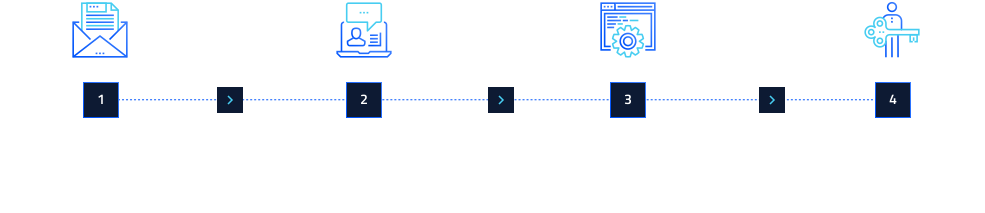
How It Works

From installation to insight

OmniSense follows a structured, milestone-driven process to ensure data quality and documentation accuracy before delivering your final output.
Decorative image

Step 1

PoC preparation (1–2 weeks)

OmniSense installation (at no cost), scope definition, security configuration, anonymization setup, format selection, and validation of event capture. Data stays within your infrastructure.
Decorative image

Step 2

Ready to Explore (Milestone)

OmniSense identifies events, records and correlates sessions, and anonymizes data on an environment equivalent to production. Data is anonymized without disrupting business operations. Pretius validates the data and demonstrates the tool’s value.
Decorative image

Step 3

Full implementation

Based on the validated PoC, we expand the scope to include full system documentation, an AI agent supporting users, and/or legacy migration tools (you decide what you need). Functionalities are tuned to your system's specific needs. Support from the Pretius team at every stage.
icon-metric

Step 4

Documentation (Iterative)

Partial docs are generated, reviewed by Pretius and the client in cycles until full quality and scope are achieved.

What you get from day one:

No upfront cost beyond compute resources.
Data never leaves your infrastructure.
Works with any web-based system.
Pretius can operate without source code access.
Modular – buy only what you need.
Backed by Pretius AI and legacy migration expertise.

Ready to understand your system?

Let's install OmniSense on your application and show you what it knows in two weeks.

Looking for a software development company?

Work with a team that already helped dozens of market leaders. Book a discovery call to see:

  • How our products work
  • How you can save time & costs
  • How we’re different from another solutions

footer-contact-steps

We keep your data safe: ISO certified

We operate in accordance with the ISO 27001 standard, ensuring the highest level of security for your data.
certified dekra 27001
© 2026 Pretius. All right reserved.
avatar-adam-kierzkowski

Adam Kierzkowski

/ Oracle APEX Team Leader

Adam dołączył do Pretius ponad 5 lat temu. Wcześniej pracował w inżynierii robotyki, ale zawsze ciągnęło go do tworzenia oprogramowania. Obecnie jest Team Leaderem, programistą APEX specjalizującym się w bazach danych Oracle oraz osobą stojącą za popularnym "Kursem Oracle APEX" na YouTube. Po pracy lubi grać w gry wideo i oglądać dobre filmy lub seriale.