I’ve been working on an APEX application for managing user permissions for quite some time now. We’re already close to the production release, so it’s no surprise that a ticket showed up on our task board asking us to figure out how we want to measure the satisfaction level of the users working with our application, then estimate and implement the appropriate solution. And this is really where the option to use a native Oracle APEX platform feature comes into play.
As it turns out, out of the box we have the Feedback option available, which we can implement in our application in just a few minutes. And how do we do that? Let me tell you.
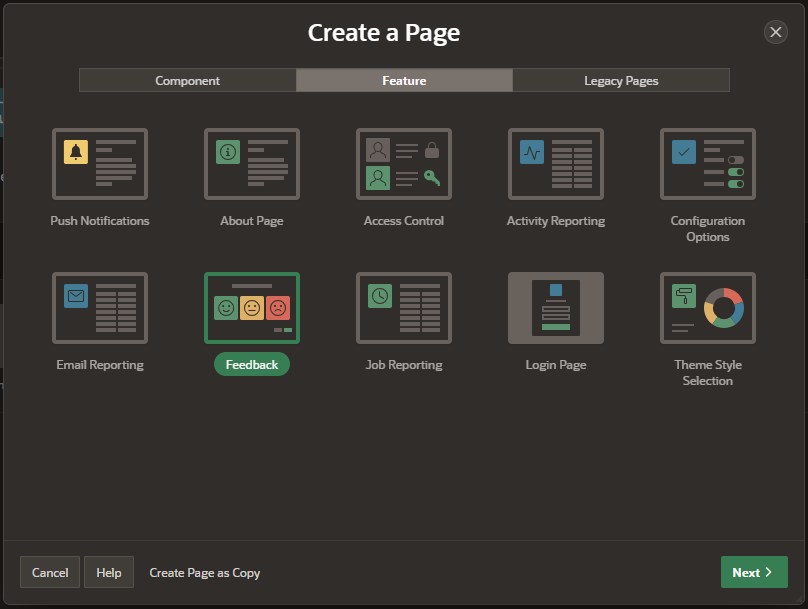
1. Select the Feature Feedback while creating a page:
2. Set the appropriate options (the configuration for your Feedback).
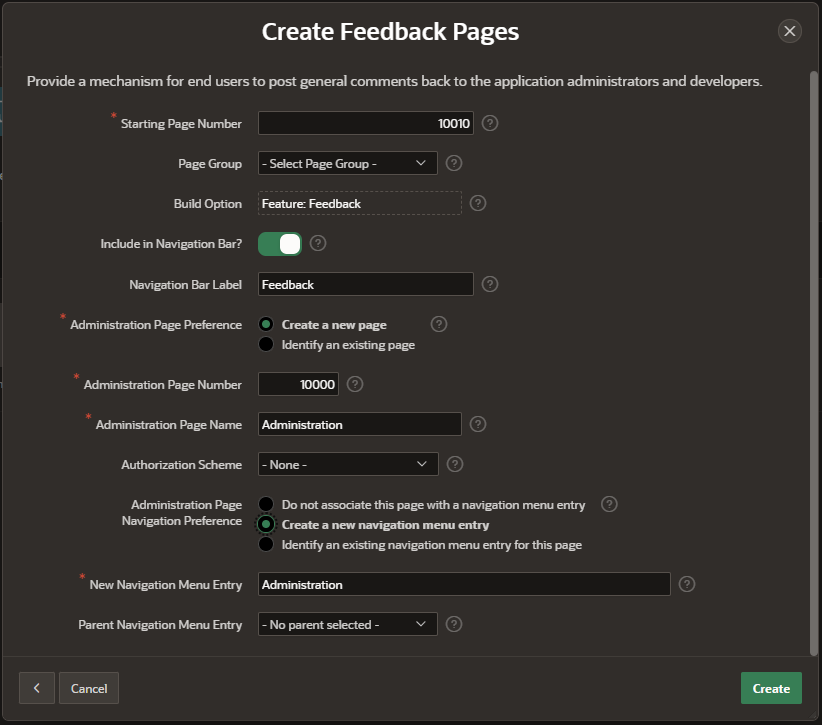
There are plenty of options available that help “fit” Feedback into our application. It’s also important to create an Administration Page, which will help us manage our feedback.
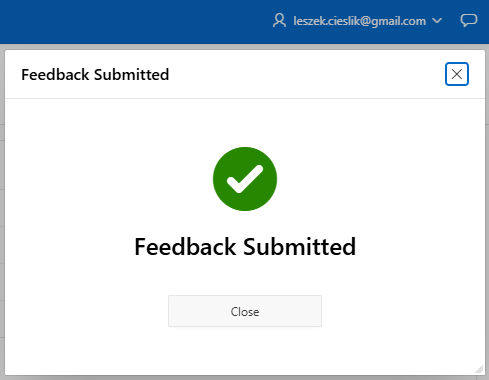
3. That’s it, our Feedback is now available in the application. Users can submit their comments to their heart’s content. In the top right corner, next to my login, a new icon has appeared that opens the Feedback window.
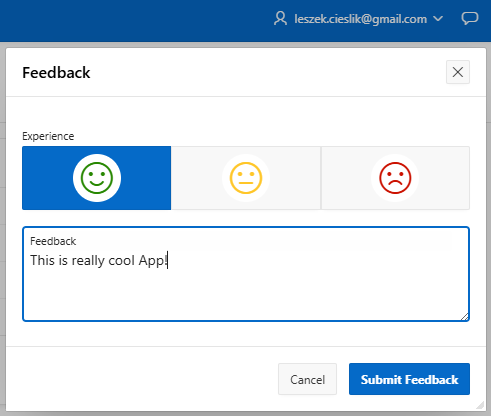
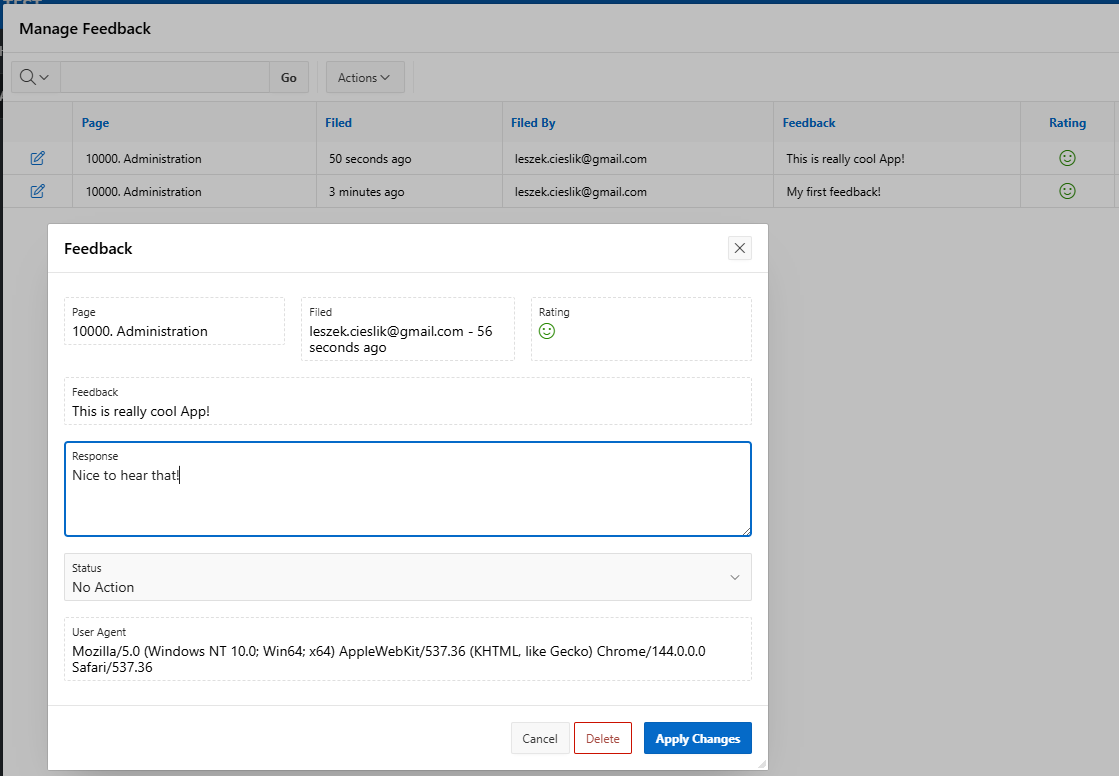
4. Additionally, in step 2 I created an Administration page for managing Feedback. Here you’ll find an Interactive Report showing all the submitted requests. There’s also an option to edit a selected entry.
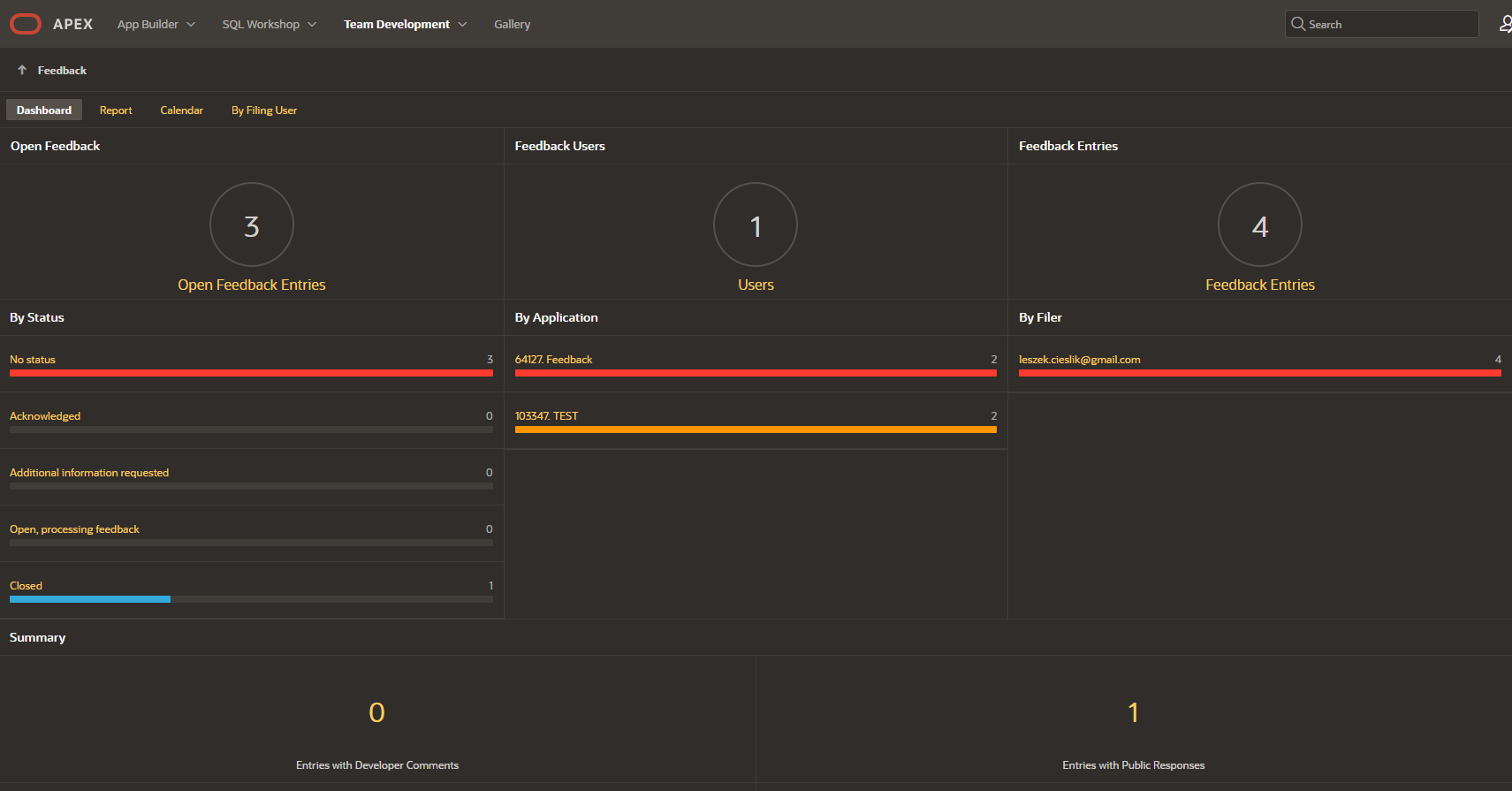
5. We can also manage Feedback from the Team Development -> Feedback tab at the workspace level, where an advanced dashboard is available.
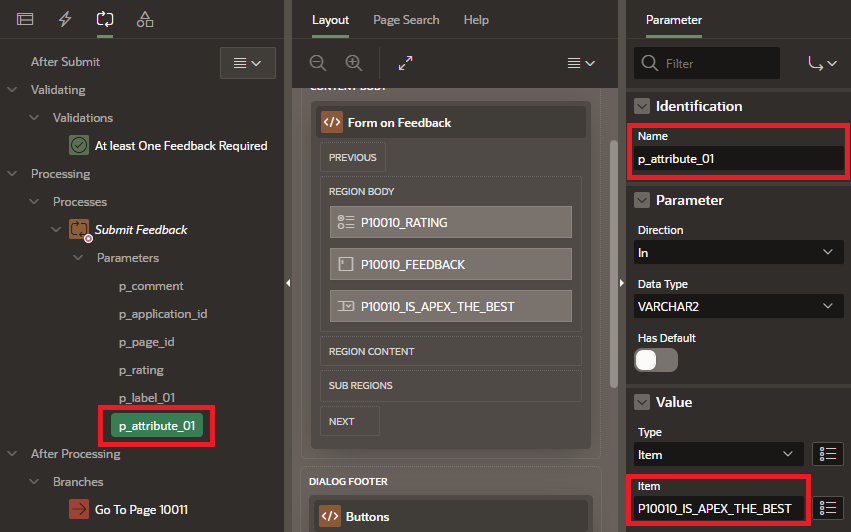
6. And what if we want to extend the functionality available out of the box? No problem there. When adding Feedback to an application, APEX creates all the structures needed to handle it, which live in the schema associated with APEX (e.g. the APEX_240200.APEX_TEAM_FEEDBACK table). The default procedure for submitting feedback contains additional parameters such as p_attribute_01 or p_label_01, which allow us to handle (save to the database) extra information from the form. All you need to do is pass the value from a newly created item via the parameter, and that’s it!
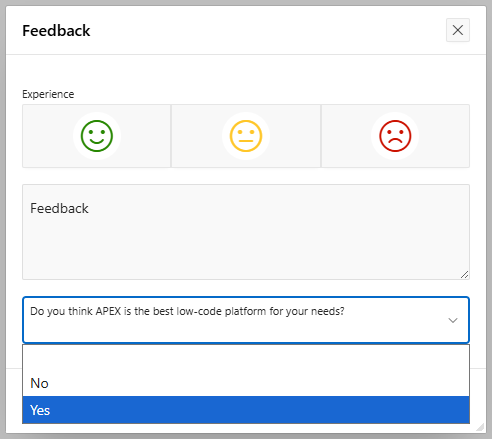
The Feedback option in Oracle APEX is available out of the box. Its basic version is often sufficient for our clients, but extending it and adding extra fields to the form isn’t much of a problem either. Keep in mind, however, that the number of additional attributes in the procedure is limited.
If you’d like to learn more about this functionality, it’s always worth checking the documentation (see here and here). Also, be sure to check out some of my other articles on the Pretius blog: