In the age of AI, these two letters will appear everywhere. With the new, fresh APEX 26.1 and the enormous possibilities AI offers, I’d like to focus on the large number of built-in components that don’t require AI tools, and are classically taken out-of-the-box from the latest version of this brilliant tool. Let’s focus on a few of them where using the JS API is no longer necessary, but instead, we can use new, fresh built-in components.
On a previous project, I created such a solution using a hidden select list, assigning a special CSS class that referred to a JS library… A lot of unnecessary steps that can now be created out-of-the-box in a low-code way.
Let’s prepare a basic button, let’s call it Menu Buttons:
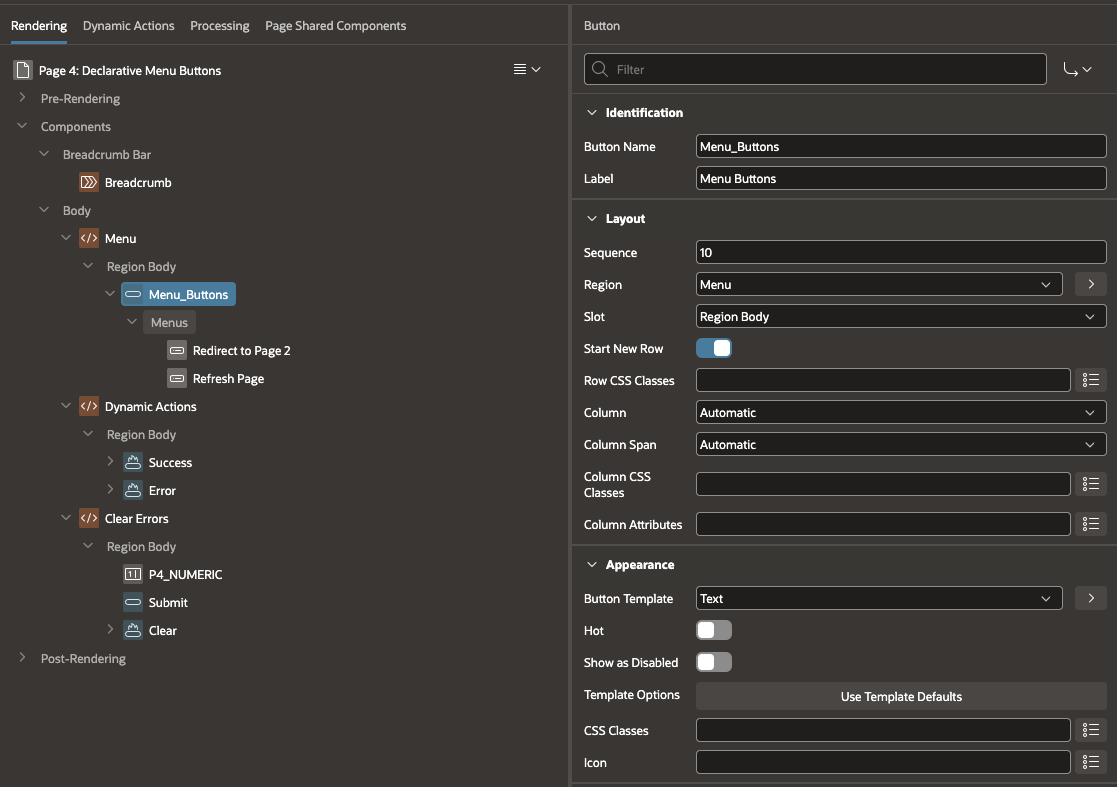
At first glance, everything looks classic. However, an additional option has appeared in the Behavior section, where we can change the Type from Standard to Menu. And this is where the magic begins:

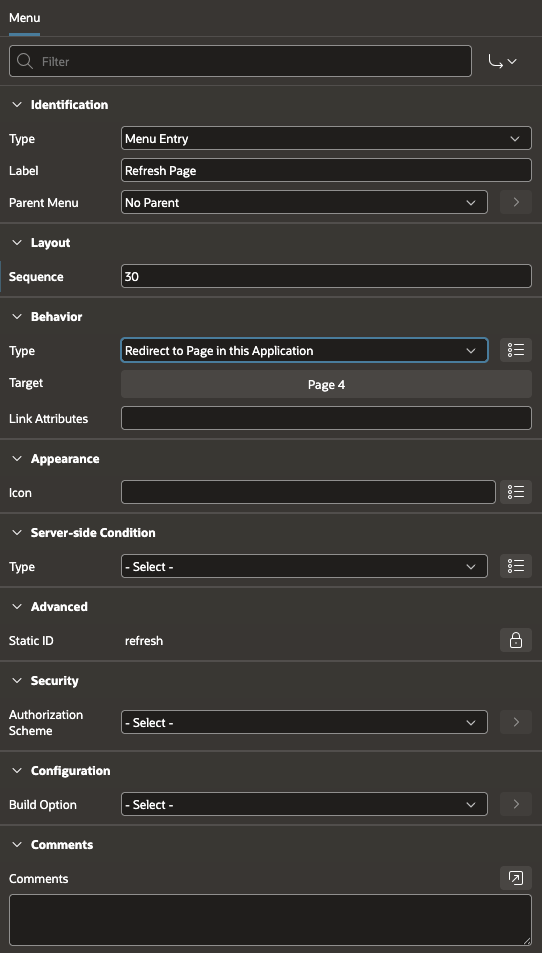
After selecting this option, a new submenu appears under the Menus button, where you can add additional buttons by pressing the P button using the Create Menu option. I created two options: redirecting to another page and refreshing the current one:
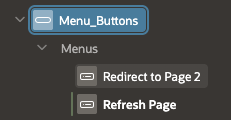
Each of them has different options from the drop-down select list:
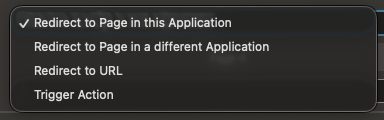
And each of these sub-buttons has solutions known from APEX:
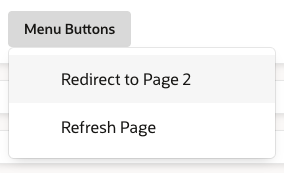
The whole effect on the GUI side looks like this:
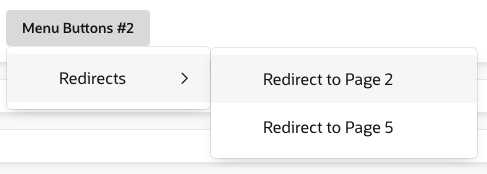
Want to create a submenu within a submenu? It couldn’t be simpler! A Parent Menu option has also been added:

The number of submenu nesting depends on your imagination, in this case your submenu after clicking the button looks like this:
It looks great and, above all, simple, right? Would you like to do something like this in a report, like an Interactive Report? Here’s an example:
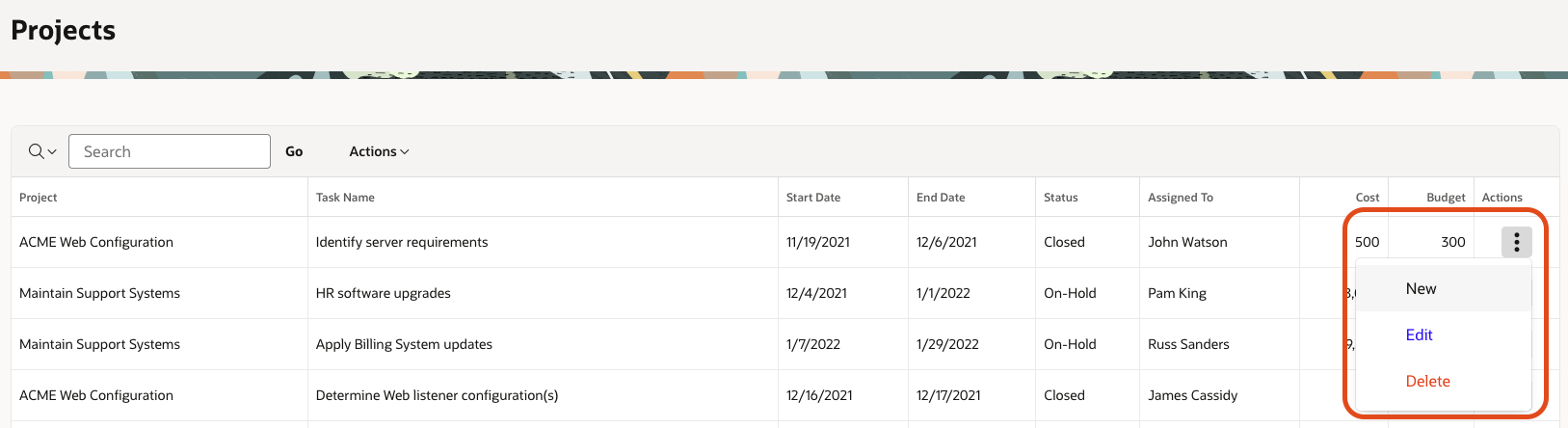
First, you need to add an additional virtual column to your SQL, e.g.
select ID,
PROJECT,
TASK_NAME,
START_DATE,
END_DATE,
STATUS,
ASSIGNED_TO,
COST,
BUDGET,
— additional column for your list:
null LIST
from DEMO_PROJECTS
Then you need to change the Type of your newly created column to Actions:
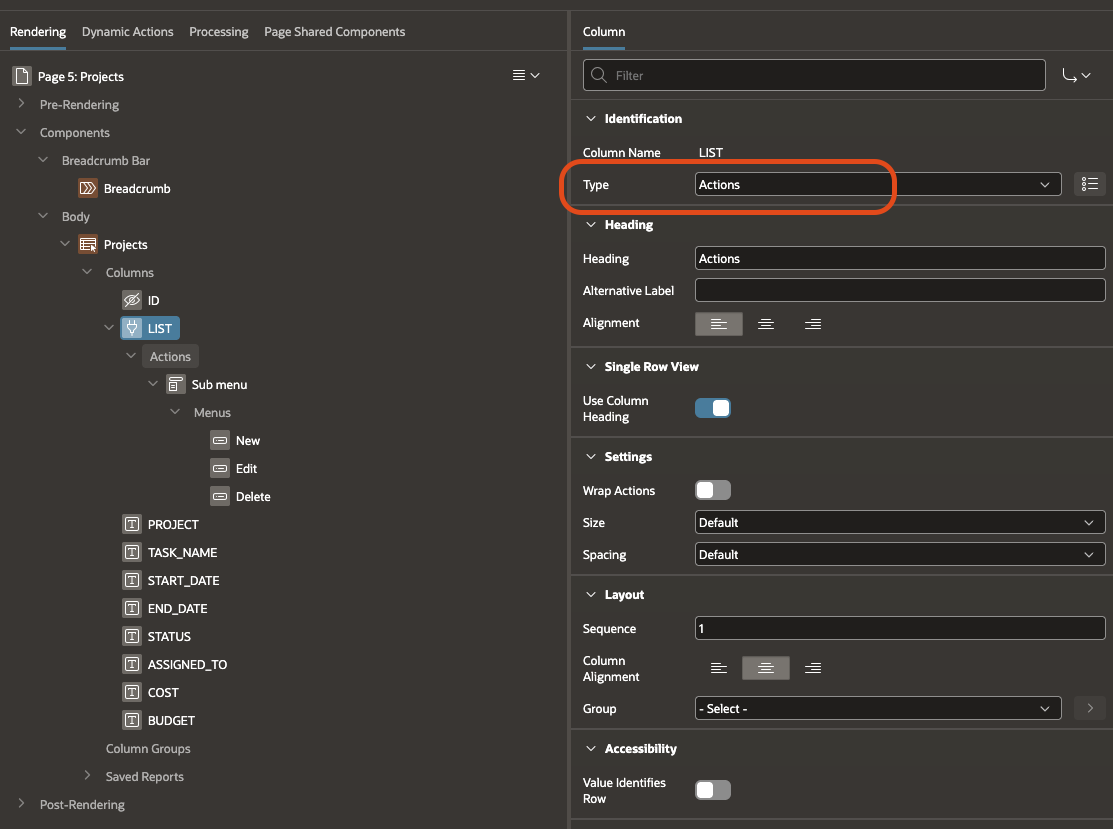
As you can see, a Submenu appears, with Menus underneath it, a similar solution to the one described above. The rest of the implementation looks the same. Clever, right?
We are looking at the new features added in APEX 26.1, you can’t ignore the new dynamic actions that will be very useful for the developer, their list is:
Let’s discuss each of them.
The implementation is very simple, just add to e.g. a button whose Behavior we change to Defined by Dynamic Action (if we do not select this option by clicking the button with the mouse, it will not appear), select Event to Click and create True Action for the newly added Show Success Message:
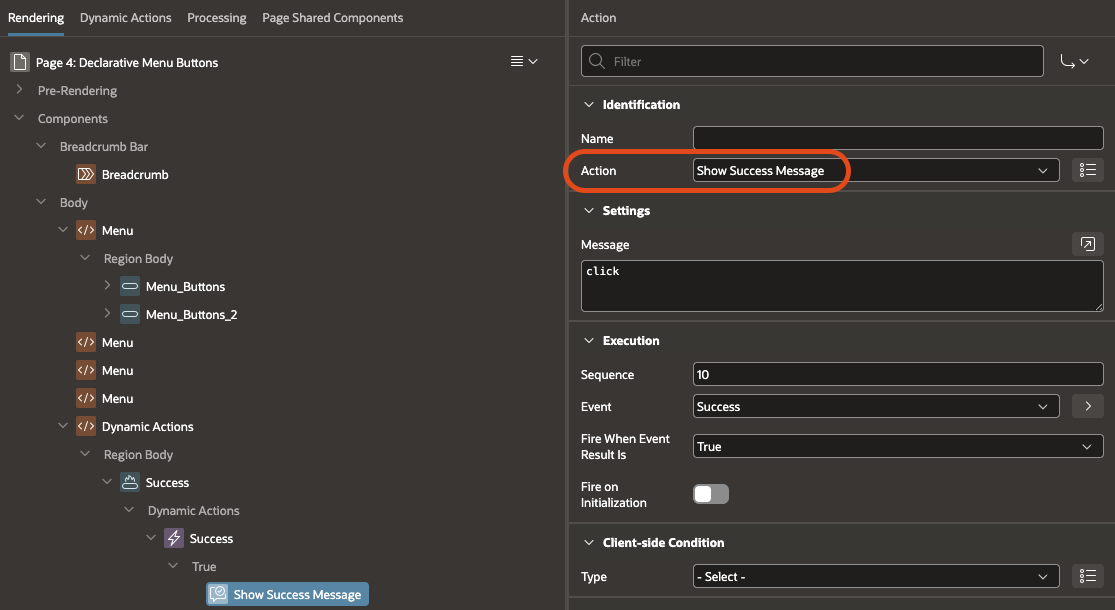
We enter the message that should appear on the GUI and that’s it:

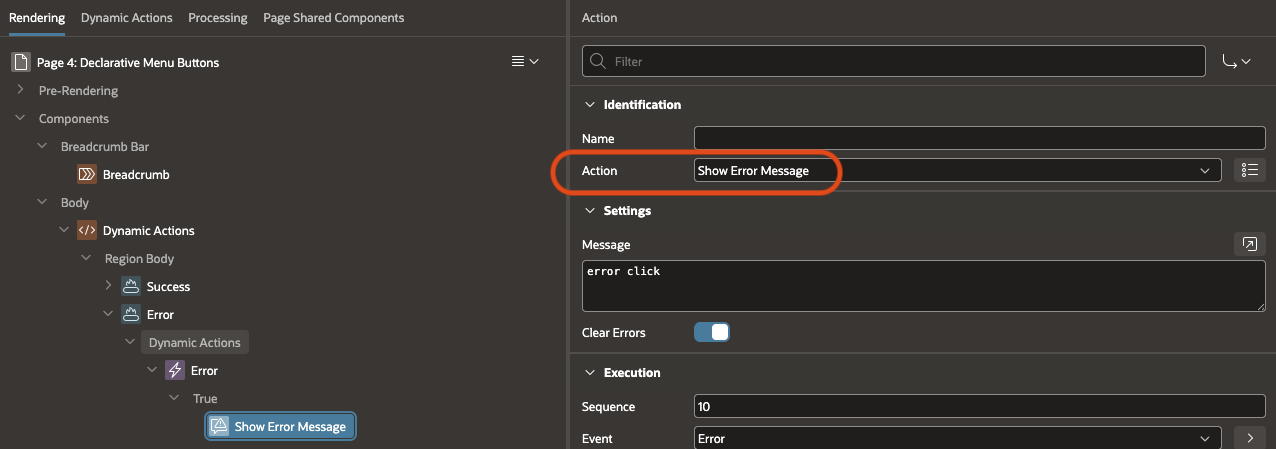
The case is very analogous to Show Error Message, in this case we select Action on Show Error Message, enter the message that should appear after clicking:
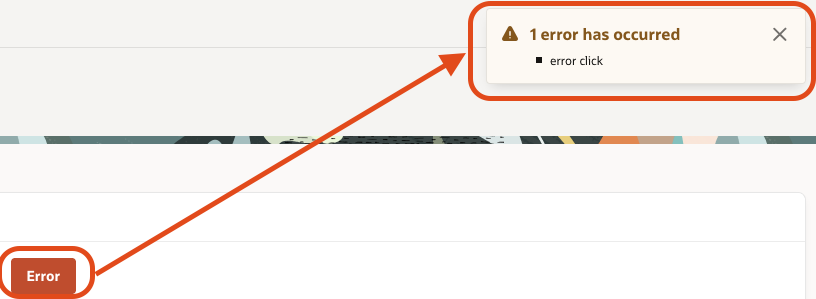
By pressing the button we get this message on the GUI:
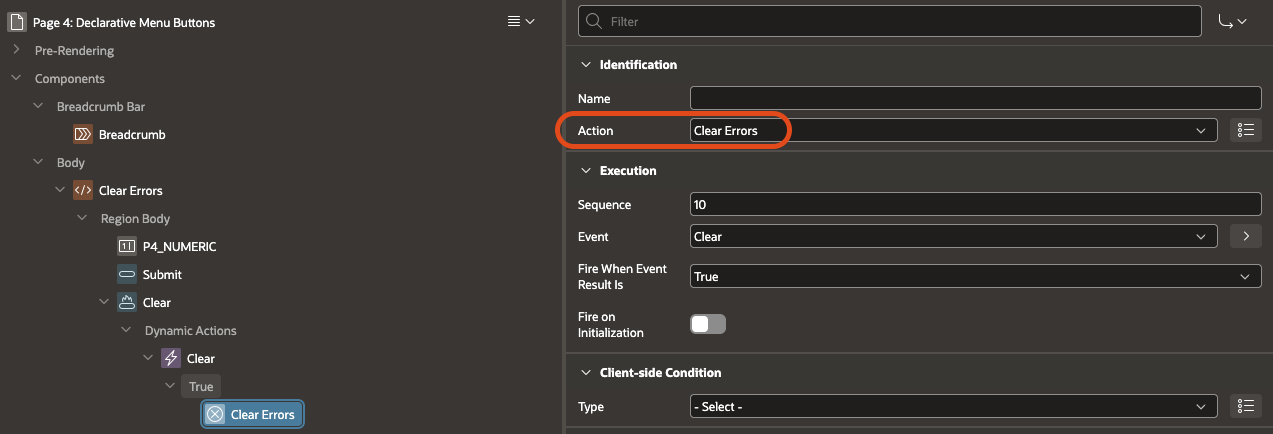
The last of the interesting dynamic actions is Clear Errors. To show how it works, let’s simulate this situation: let’s create:

The first 2 elements don’t need explanation, the last one is interesting because we can use the newly added dynamic action on it:
In the Numeric Item we enter some letters to get an error, after trying to submit the page we get an error:
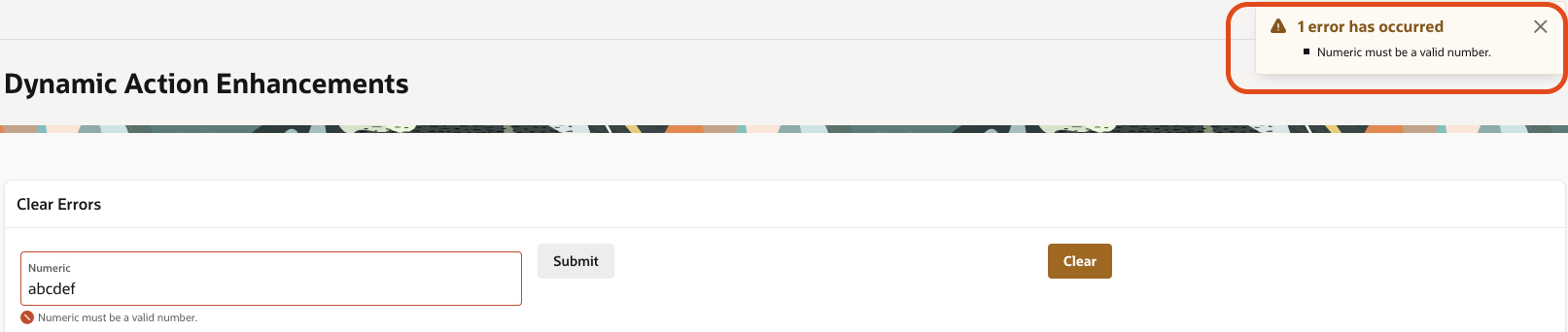
To get rid of the error, just click the button. Simple, right? And these are just a few of the out-of-the-box, built-in components that don’t use AI. Stay tuned, more details coming soon!