Welcome to the 5th part of the article series: non-AI built-in components in Oracle APEX 26.1. This time we will take a look at the Ideas App Implementation section, where for many years the Oracle APEX community has been entering their ideas, which, instead of being implemented with a plug-in, could be added by the APEX development team.
As you can see, the list is very large, but as you can also see, many of these ideas were successfully delivered by the APEX Development Team:
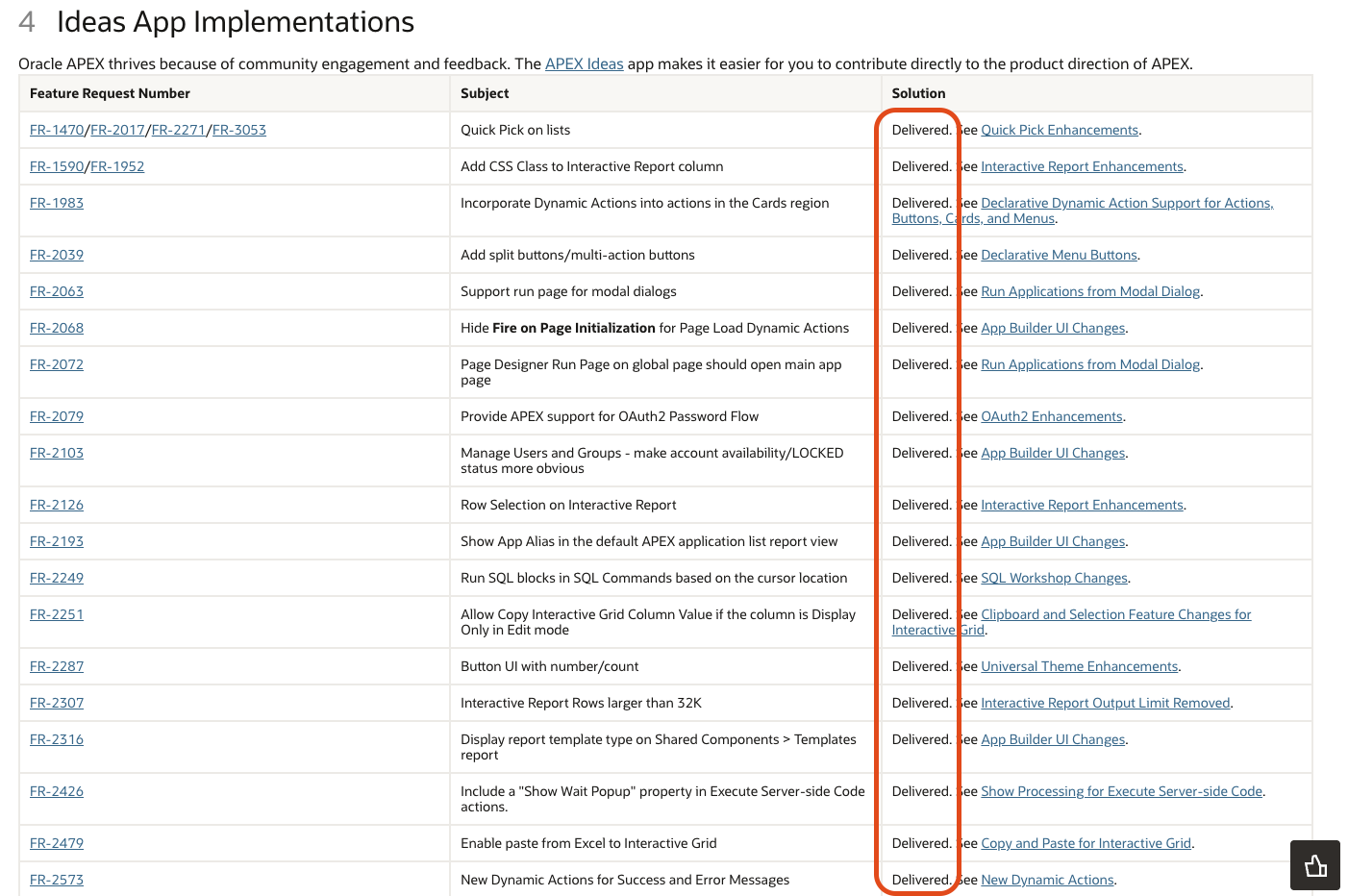
The list is very long, and there are many things to review, including improvements and deliverables. So let’s check out a few.
One of the many things worth noting is adding values to the Quick Picks section dynamically, for example, using SQL. For this example, I’ve created a Select List with all Projects, and in the Quick Picks section, I’ve narrowed the list to Projects with the “Open” status:
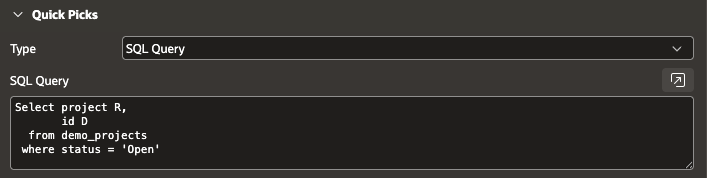
A very simple and effective implementation of a new, very useful functionality. Let’s see what it looks like on the GUI side:
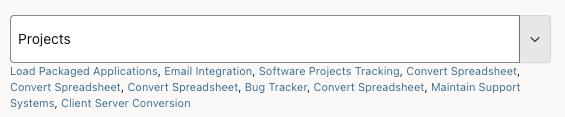
Great stuff!
Another very useful feature. How many times, when entering SQL Workshop -> SQL Commands option and wanting to see the results of an SQL query, and having several of them in previous versions of APEX, we were presented with a message like this.
APEX 24.2:
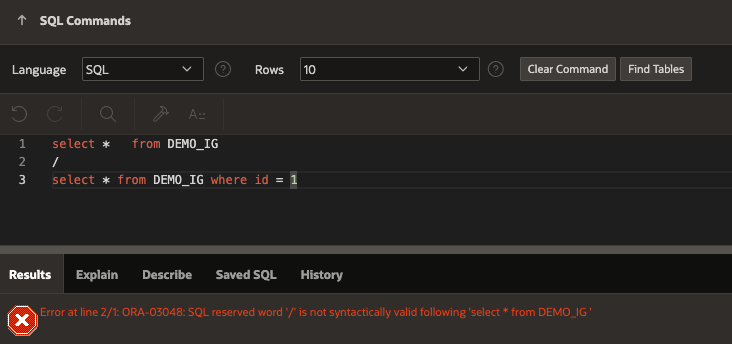
As Oracle APEX developers, we’re accustomed to executing multiple SQL queries. We know that in SQL Developer, for example, separating them with a simple slash “/” allowed them to be executed consecutively. However, in previous versions of APEX, we unfortunately received the error above.
It turns out that after many years, the latest version of APEX has implemented this method in a very simple way. Having multiple SQL queries separated by slashes will execute the query wherever the cursor is specified. Simple, and it works!
APEX 26.1:
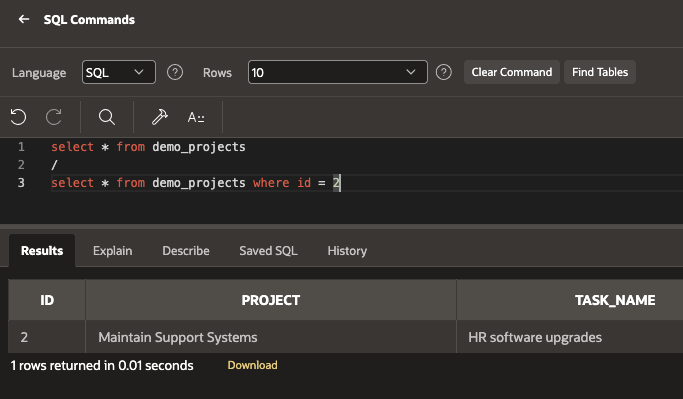
Another quality of life for APEX Developer!
Another very useful functionality I found is adding data-count to a button.
To test this functionality, I prepared a few things:


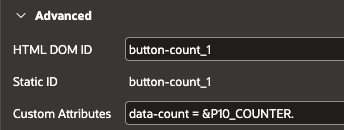
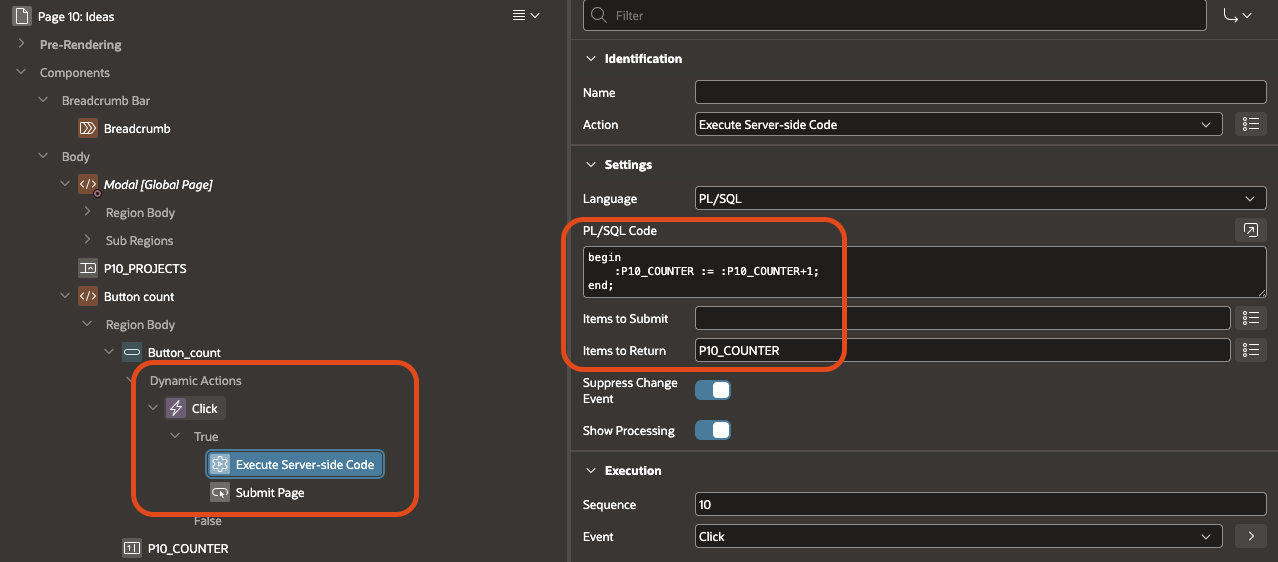
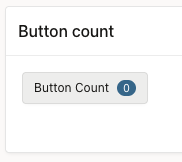

I’ll leave the business application to you, but the idea is great and brilliant in its simplicity!
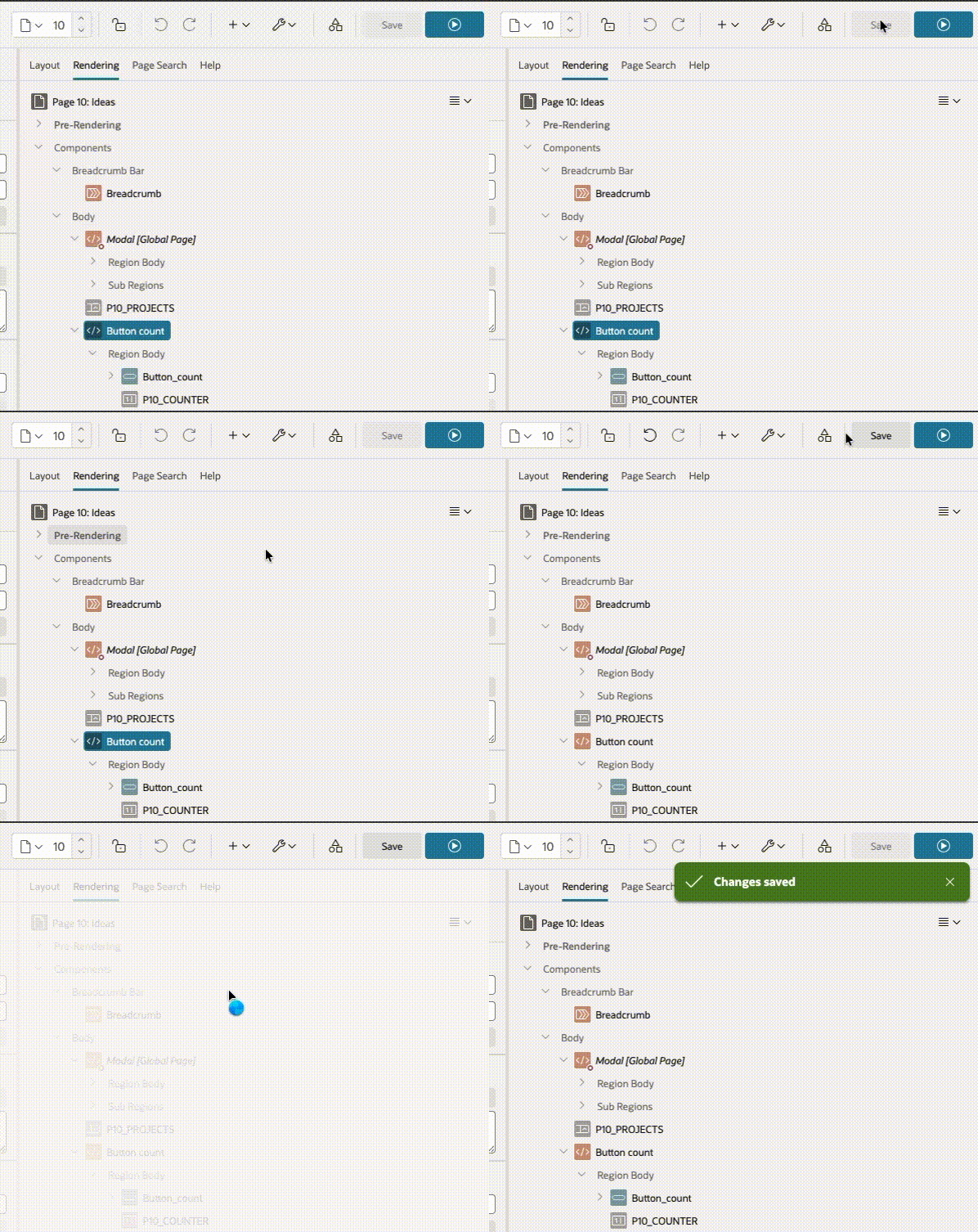
Another change, perhaps small and cosmetic, but very useful: as long as we don’t change anything in App Builder, the SAVE button will be disabled and grayed out, but if something changes on the page, the SAVE button will be active again. A small change, but very useful because we will immediately see that we have some unsaved changes on the page and we want to, for example, go to the next page. I’ll try to show it in a gif:
And another great feature for APEX developers: Have you ever been bothered by global components created on Page 0? Now you can easily enable or disable them:
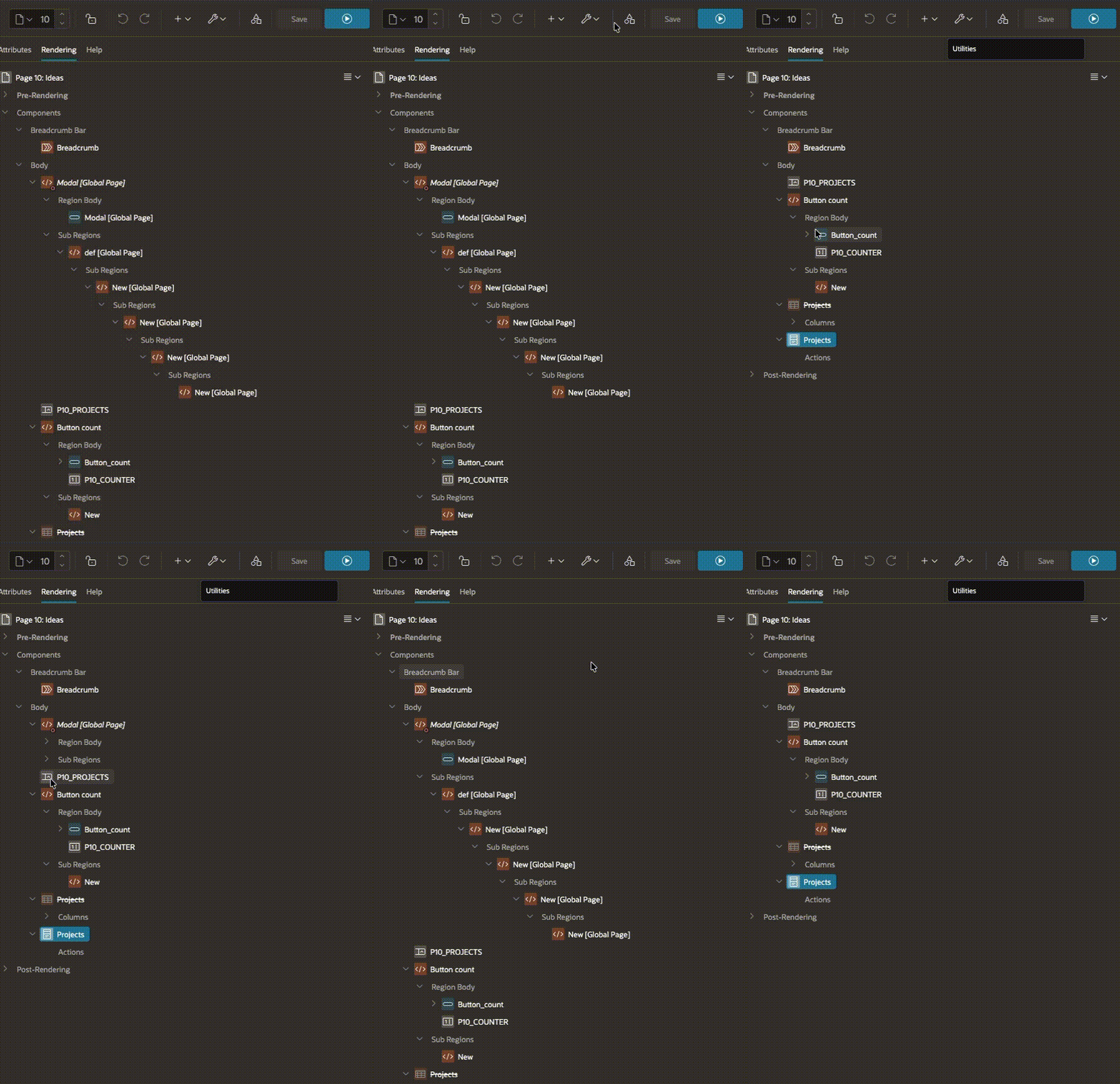
Simple and practical!
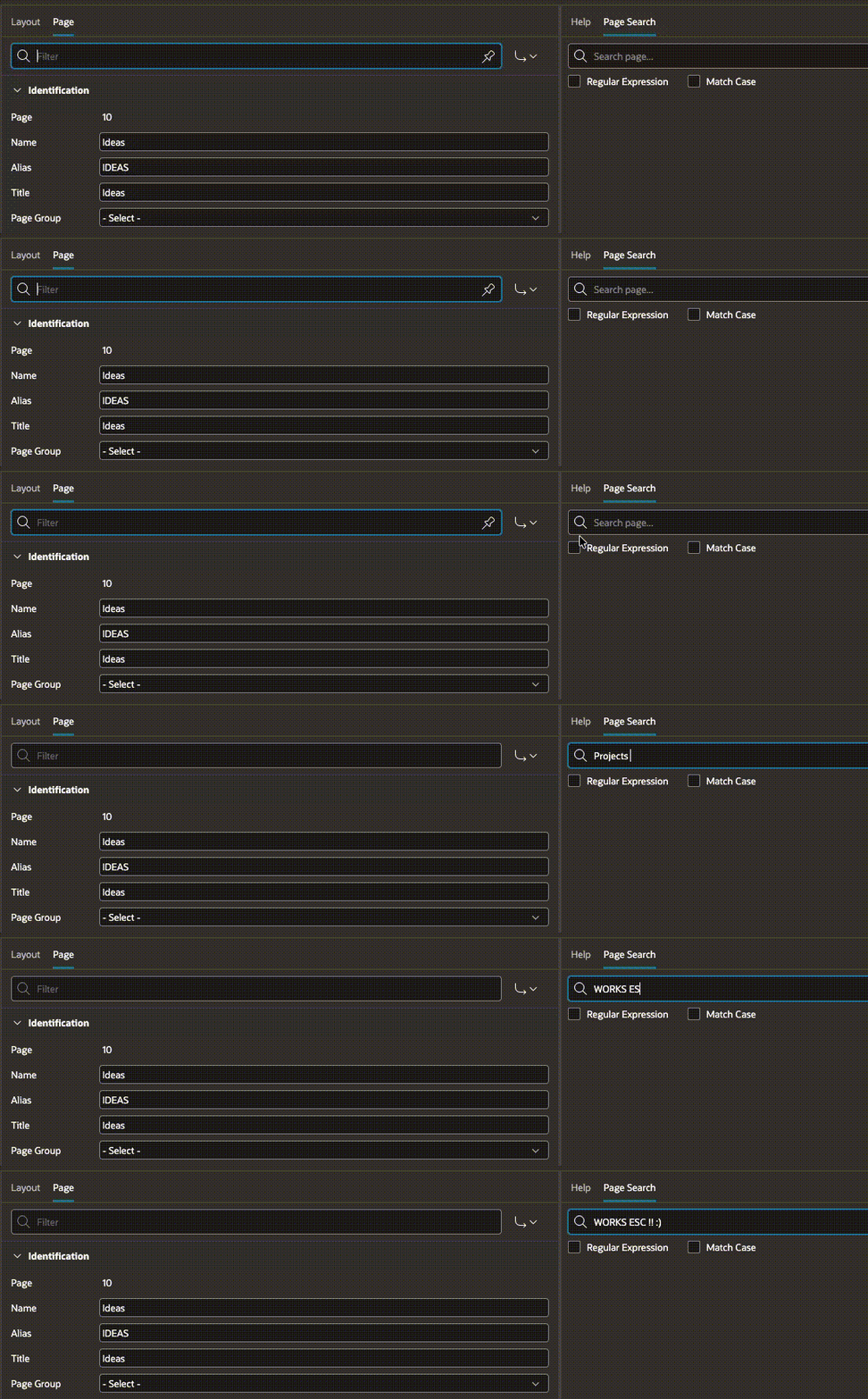
Another very practical feature for developers, but I checked and it doesn’t work in APEX 24.2! You type something into Page Search but change your mind?
In APEX 26.1, a simple press of ESC will do the trick! In previous versions, it didn’t…
In the previous version it works for searching on the page, but in the Page search tab it unfortunately does not, APEX 24.2:

and APEX 26.1:
Stay tuned, more details coming soon!